
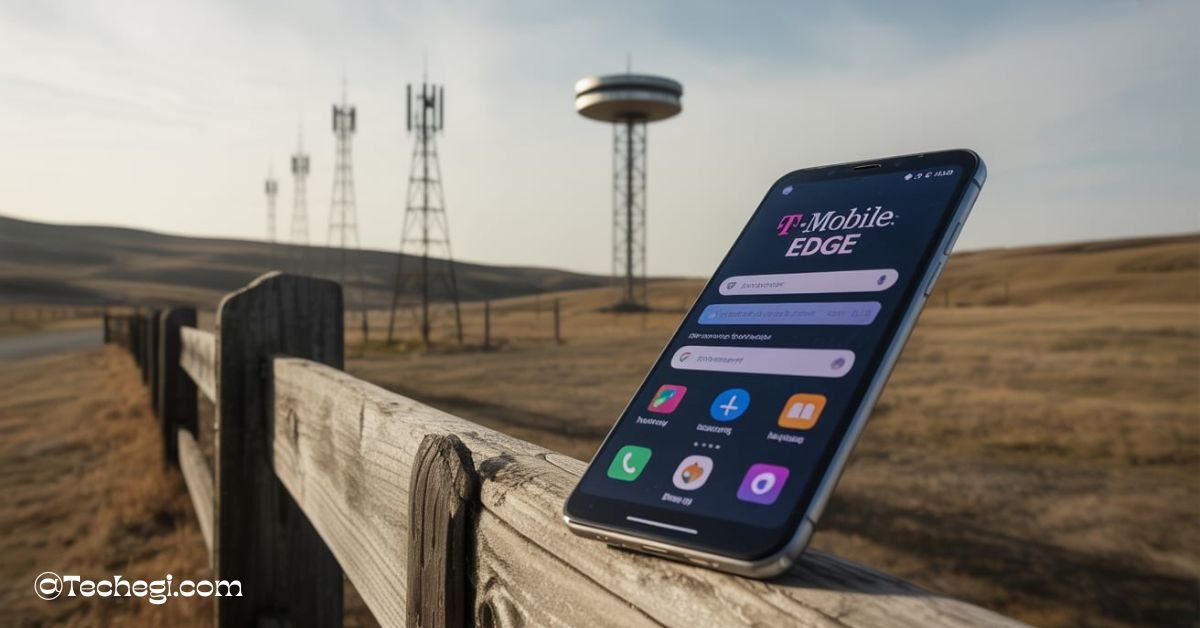
T-Mobile EDGE refers to a 2G mobile data network called Enhanced Data Rates for GSM Evolution. It’s used as a fallback when faster connections like 4G or 5G are unavailable. While it keeps you connected in low-signal areas, it offers very slow internet speeds.
Stay tuned with us as we dive deeper into what is T-Mobile EDGE, why it shows up on your phone, and how you can avoid falling back to this outdated network.
What is T-Mobile EDGE Used For?
T-Mobile EDGE is a type of cellular data technology that stands for Enhanced Data Rates for GSM Evolution. It’s part of the 2G network family and was originally developed to allow faster mobile internet before 3G and 4G technologies became widely available. Today, EDGE serves mostly as a fallback network when stronger, faster signals like LTE or 5G aren’t available.
In practical terms, T-Mobile EDGE is used when your phone loses access to faster mobile networks. This can happen when traveling through remote areas, going inside buildings with thick walls, or experiencing temporary outages in your local network towers. Though EDGE can handle tasks like email or low-data messaging apps, it is no longer suitable for most modern digital needs.
This fallback functionality means you might see “EDGE” pop up during travel, in elevators, or in basements. It’s a reminder that while technology continues to evolve, older infrastructure like 2G EDGE still plays a background role in keeping us connected, just not very quickly.
Why Does My Phone Say T-Mobile EDGE?
Seeing “T-Mobile EDGE” on your screen indicates that your device has reverted to a low-speed 2G connection. This usually happens when:
- You’re in a rural or remote area with limited tower coverage
- You’re inside a building or underground, where signals struggle to penetrate
- Your phone or SIM card is outdated and doesn’t fully support LTE or 5G
- You’re using battery saver or airplane mode settings that restrict high-speed network access
Some users report EDGE appearing even in urban zones, often due to temporary tower maintenance or because their devices default to EDGE if 4G/5G is unstable. It’s not a sign of hardware failure or a broken phone—it simply means that the available network in your current area is operating on the slower 2G frequency band.
While this isn’t necessarily dangerous or damaging to your phone, the user experience can be extremely limited. You may notice high latency, slow page loading times, and frequent app crashes when trying to use features that rely on real-time data connections.
Understanding the Technology: What Is EDGE Instead of 5G?
What Is T-Mobile EDGE LTE?
It’s easy to confuse EDGE with LTE because both terms relate to mobile data, but they represent very different levels of technology. LTE—short for Long-Term Evolution—is part of the 4G family, offering significantly faster data transfer speeds than EDGE. EDGE, on the other hand, belongs to the 2G category.
T-Mobile EDGE LTE is not a real technology; it’s a misnomer. LTE and EDGE cannot be combined. When your device says EDGE, it is not connected to LTE or 4G—it’s connected to a legacy system designed for light data use. T-Mobile still maintains this for emergency fallback, but it’s gradually being phased out.
What Is EDGE Instead of 5G?
When you see EDGE instead of 5G, it means your phone can no longer detect or connect to high-speed networks. This could happen due to physical barriers like tunnels or garages, weak signal zones, or your device choosing a more stable (but slower) signal path.
Phones are programmed to prioritize stability over speed. If 5G is fluctuating too much, the phone may drop down several generations to EDGE if that’s the only reliable signal available. While frustrating, it’s a deliberate feature built to prevent complete signal loss.
Why Did My Phone Go from 5G to EDGE on T-Mobile?
You’re watching YouTube or browsing social media on blazing-fast 5G, and suddenly the data crawls to a halt—you look at your screen and see “EDGE.” What happened?
Why Is My Mobile Data Showing EDGE?
There are a few reasons this switch can occur:
- Signal Loss: As you move, your phone constantly searches for the best signal. If it can’t find 5G or LTE, it falls back to EDGE.
- Network Maintenance: T-Mobile occasionally performs updates or maintenance, temporarily disrupting service.
- Battery Saving Mode: Some devices reduce network usage to save battery, prioritizing basic connections like EDGE.
- Software Bugs: Glitches in network settings or operating systems can cause incorrect fallbacks.
In some rare cases, if you’re on a legacy data plan, your device might not be authorized to access 5G towers even though it’s capable. You may need to contact T-Mobile support to ensure your plan is compatible with newer networks.
Also, be aware of physical obstructions like mountains, buildings, or traveling through tunnels—these often reduce the signal strength drastically, triggering the EDGE fallback.
What Is T-Mobile EDGE on iPhone Devices?
iPhones are designed to work seamlessly across various types of cellular networks, including 5G, LTE, and older ones like EDGE. So, what happens when your iPhone shows “EDGE” next to the T-Mobile logo?
It usually means the same thing it does on Android: a fallback to a 2G network due to weak LTE or 5G signals. However, some iPhone users experience this more frequently because of:
- Incorrect carrier settings
- Using older models like the iPhone 6 or 7, which may not support newer frequencies
- SIM card incompatibility
- Auto network selection turned off or misconfigured
To fix this, users should go to Settings > Cellular > Cellular Data Options > Voice & Data and ensure that LTE or 5G is selected, if available. If that doesn’t work, resetting your network settings can often resolve persistent issues.
Also, consider updating to the latest iOS version, as outdated firmware can cause network instability.
Mobile Data EDGE Problem: How It Affects Your Internet Experience
The Real-World Impact of EDGE
Most modern apps and services are built for high-speed data. When your phone is stuck on EDGE:
- Web pages take 20–60 seconds to load
- Streaming services won’t work at all
- Image-heavy content fails to load properly
- Apps that rely on constant data (navigation, Uber, Instagram) become nearly unusable
EDGE was innovative two decades ago, but today, it’s insufficient for the average user’s needs.
When Does It Become a Real Problem?
If your phone drops to EDGE occasionally, it’s nothing to worry about. But if it happens frequently:
- Your device might be outdated
- Your area may lack proper T-Mobile infrastructure
- Your network settings may need optimization
Consistent EDGE usage not only slows down your digital activity but it can also increase frustration, limit productivity, and hinder access to important information, especially during travel or emergencies.
How to Get Rid of T-Mobile EDGE: Complete Guide for Android & iPhone
Whether you’re on an iPhone or Android, here’s how to escape the EDGE trap and restore fast connectivity:
For iPhone Users
- Go to Settings > Cellular > Cellular Data Options
- Make sure LTE or 5G is selected
- Reset network settings under Settings > General > Reset > Reset Network Settings
- Replace your SIM if it’s older than 3 years
- Disable Low Power Mode
- Ensure Airplane Mode is off
For Android Users
- Access Settings > Network & Internet > Mobile Network
- Set preferred network type to 4G/5G Auto
- Reset your APN (Access Point Name) to the default
- Update software and perform a reboot
- Use T-Mobile’s coverage map to verify signal strength in your area
- Manually select the strongest available network if needed
Still Stuck on EDGE?
If none of the above works:
- Visit a T-Mobile store for a diagnostic check
- Request a replacement SIM
- Upgrade to a newer model phone
- Consider switching to a better-supported carrier if EDGE is persistent
Is T-Mobile EDGE Still Useful in 2025?
Despite its limitations, EDGE still plays a role in today’s mobile networks, though that role is rapidly shrinking.
Why Is EDGE Still Around?
- Rural Coverage: In remote areas with no LTE/5G, EDGE is better than no service at all.
- Basic Devices: Some low-end phones or IoT devices use 2G networks to conserve battery.
- Backup Option: EDGE acts as a fallback when higher bands fail.
Will It Be Around Forever?
No. T-Mobile has already announced plans to phase out its 2G network entirely. As of 2025, most EDGE signals will disappear, forcing users to upgrade or lose connectivity. This transition allows the carrier to focus on expanding high-speed 5G infrastructure.
If you’re still relying on a device that falls back to EDGE often, the best course of action is to future-proof your connectivity by updating your hardware.
T-Mobile EDGE vs LTE and 5G: Speed and Performance Compared
| Feature | EDGE | LTE | 5G |
| Network Gen. | 2G | 4G | 5G |
| Avg Speed | 100–400 Kbps | 5–100 Mbps | 100–1000+ Mbps |
| Streaming | No | Yes | Yes |
| Video Calls | No | Yes | Yes |
| Web Browsing | Very Slow | Fast | Ultra Fast |
| Availability | Rural fallback | Widely Available | Growing coverage |
The comparison is clear: EDGE is only usable in situations where nothing else is available. LTE and 5G offer significantly better performance and are more reliable for modern smartphone users.
The Future of EDGE: T-Mobile’s Plan to Shut Down 2G Networks
Timeline of Shutdown
T-Mobile has been gradually retiring its older networks. The official shutdown of its 2G (EDGE) service is scheduled to be completed in February 2025. This will free up spectrum for faster technologies like LTE and 5G.
What This Means for You
- If you rely on EDGE, your device will lose connectivity
- Prepare now by upgrading your phone and SIM
- Watch for announcements from T-Mobile with final shutdown dates
Early preparation is the best way to avoid service disruption.
Final Thoughts: How to Stay Connected Without Dropping to EDGE
To summarize: T-Mobile EDGE is a legacy network that’s only useful in emergency fallback situations. In 2025, it’s practically obsolete. If you want fast, reliable mobile data:
- Keep your phone updated
- Use 4G or 5G network modes
- Replace your SIM if it’s old
- Contact T-Mobile if you regularly see EDGE
Taking these steps ensures you won’t be stuck in the slow lane of the mobile internet.
FAQ’s
1. How do I get out of T-Mobile EDGE on my iPhone?
To get out of EDGE on iPhone, go to Settings > Cellular > Cellular Data Options, and switch to LTE or 5G. If the problem persists, try resetting your network settings and replacing your SIM card if it’s outdated.
2. Why did my phone go from 5G to EDGE suddenly?
Your phone may switch from 5G to EDGE due to weak signal areas, temporary tower maintenance, or power-saving features that downgrade network access to conserve battery.
3. What is the difference between T-Mobile EDGE and LTE?
T-Mobile EDGE is a 2G network offering very slow data speeds, while LTE is part of the 4G family, providing much faster and more reliable mobile internet performance suitable for streaming, browsing, and video calls.
4. Why is my mobile data showing EDGE even in a city?
This can occur if your phone is experiencing a software glitch, you’re in a building with thick walls, or your SIM or device doesn’t fully support modern LTE/5G bands. Manual network selection and updates may help.
5. How to remove EDGE in mobile data permanently?
To avoid EDGE entirely, switch your device settings to 4G/5G only, keep your software updated, replace older SIM cards, and contact T-Mobile to ensure your data plan supports modern networks.
Also read: