
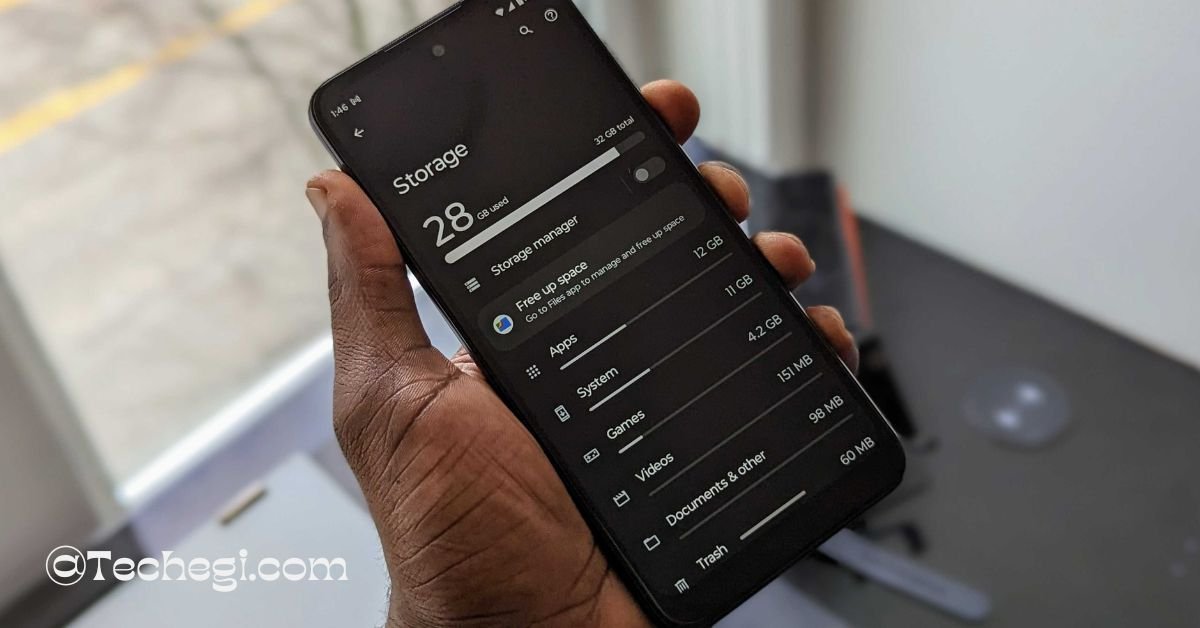
When you hear people talk about smartphone performance, “RAM” is one of the first things mentioned. But what exactly does phone RAM mean, and why does it matter so much? RAM, or Random Access Memory, is one of the core components that keeps your phone responsive, smooth, and capable of handling the apps you use every day.
Whether you’re browsing social media, playing games, switching between apps, or running background tasks, RAM plays a major role in how fast everything feels.
Understanding phone RAM can help you choose the right device, fix performance problems, and make better decisions about upgrades. This guide breaks the topic down in simple, everyday language so anyone can understand it.
Understanding What Phone RAM Actually Means
RAM is a type of temporary memory that your phone uses to store information it needs right now. It’s different from long-term storage, which keeps your files, apps, and photos saved permanently.
Think of RAM as a work desk:
- The larger the desk, the more items you can keep in sight at once.
- A small desk forces you to remove something before adding something else.
Your phone works the same way. The more RAM it has, the more tasks it can hold ready without slowing down or restarting apps.
How Phone RAM Works Inside a Smartphone
Every time you open an app, your phone loads essential data into RAM. This allows apps to respond quickly because the information is already prepared and doesn’t need to be retrieved from storage again.
Phone RAM works closely with the processor (CPU) and graphics chip (GPU), helping them access data quickly. RAM is built for speed—much faster than storage—so it allows apps to start faster, animations to run smoothly, and multitasking to feel effortless.
Modern smartphones also use advanced RAM technologies that reduce power usage while keeping performance stable. This is why even running multiple apps at once doesn’t always drain your battery as fast as you might expect.
Why Phone RAM Plays a Big Role in Performance
The amount of RAM in your phone directly affects several everyday experiences:
- Multitasking: You can switch between apps without them restarting.
- Speed: Apps open faster because required data is already in memory.
- Stability: Heavy apps like games or editing tools run better with more available RAM.
- Background tasks: Notifications, messaging apps, and system functions work smoothly.
Even if a phone has a fast processor, low RAM can create bottlenecks. This is why many budget phones with strong processors still feel slow—because they run out of RAM more quickly.
Different Types and Sizes of Phone RAM
Smartphones use different generations of RAM technology. The most common types include:
- LPDDR4 and LPDDR4X: Common in mid-range and earlier flagship devices.
- LPDDR5 and LPDDR5X: Found in modern smartphones, offering faster speeds and better energy efficiency.
RAM size also varies widely. Typical options include 4GB, 6GB, 8GB, 12GB, and even higher in advanced models. More RAM generally means better performance, but the right amount depends on how you use your phone.
How Much Phone RAM You Actually Need
Not everyone needs the same amount of RAM. Here’s a simple general guide:
- 4GB RAM: Basic use — calling, light browsing, and social media.
- 6GB RAM: Good for everyday multitasking and moderate app usage.
- 8GB RAM: Ideal for active users who switch between apps often.
- 12GB+ RAM: Best for gamers, content creators, and heavy multitaskers.
While higher RAM can be helpful, the operating system and phone optimization also matter. A well-optimized phone with 6GB may perform better than a poorly optimized phone with 8GB.
Phone RAM vs. Storage: Understanding the Difference
Many people confuse RAM with storage because both are measured in gigabytes (GB). But they serve two completely different purposes:
- RAM is temporary, fast memory used for active tasks.
- Storage is permanent space for apps, photos, videos, files, and system data.
If RAM is your work desk, storage is the filing cabinet. Both are important, but they do not replace each other. A phone with large storage but low RAM can still feel slow.
What Happens When Your Phone Runs Out of RAM
When your phone doesn’t have enough RAM available, it has to make decisions:
- It may close older background apps automatically.
- It may restart apps when you switch back to them.
- You may notice lag, freezes, or slow app loading times.
In extreme cases, animations feel choppy, and heavy apps like games may crash unexpectedly. This happens because the phone tries to free RAM to keep essential tasks running.
Ways to Optimize RAM Usage on Your Smartphone
You can’t add more RAM to a phone, but you can help the system use it more efficiently:
- Close apps you aren’t using.
- Restart your phone occasionally to clear temporary memory.
- Keep your system updated, as updates often improve memory management.
- Avoid unnecessary apps running in the background.
- Use light versions of apps if your phone supports them.
These steps won’t increase RAM physically, but they can help your phone use available resources better.
Conclusion
Understanding what phone RAM is and how it affects performance can help you make smarter choices when buying or using a smartphone. RAM plays a key role in everyday tasks, from opening apps to multitasking and running games smoothly. While more RAM usually means better performance, the right amount depends on your needs and how your phone is optimized. By managing apps wisely and choosing devices with appropriate RAM capacity, you can enjoy a smoother, more responsive experience.
FAQ’s
1. What does RAM do on a smartphone?
RAM helps your phone run apps smoothly by storing temporary data that the system needs immediately. It keeps apps active in the background and supports multitasking.
2. Is 4GB RAM enough for a phone in 2025?
4GB RAM is okay for basic usage like calling, browsing, and light apps. However, 6GB–8GB RAM offers a better experience for multitasking, gaming, and long-term performance.
3. Does more RAM make your phone faster?
Yes — more RAM generally improves performance by allowing more apps and tasks to run without slowing down. But software optimization also plays a major role.
4. What is the difference between RAM and storage in a phone?
RAM is temporary memory used for active tasks, while storage keeps your files, apps, and system data permanently. They work together but serve completely different purposes.
5. How can I reduce RAM usage on my phone?
You can restart your phone, close unused apps, remove heavy background apps, and keep your software updated. These steps help the system manage RAM more efficiently.