
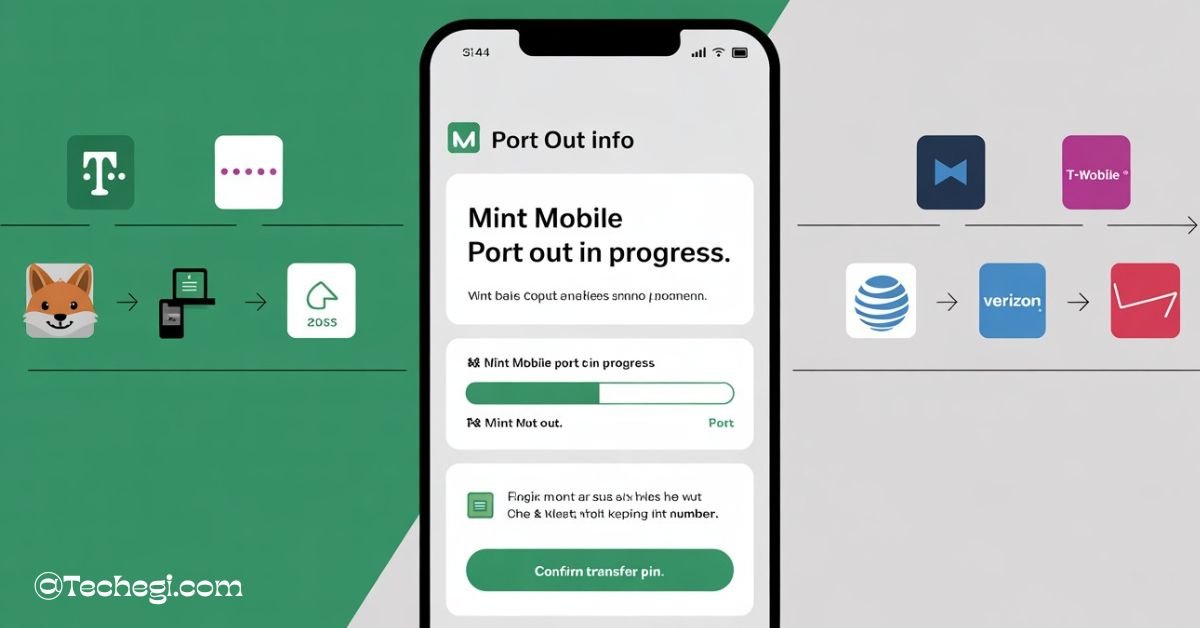
The term mint mobile port out refers to transferring your existing Mint Mobile number to another carrier. It’s a simple, regulated process that lets you keep your phone number when switching providers. To port out, you’ll need your Mint account number and port-out PIN.
“”Stay tuned with us as we dive deeper into everything you need to know about mint mobile port out—from PINs to timelines and expert tips.”
What Is Mint Mobile Port Out?
The term Mint Mobile port out refers to the process of transferring your phone number from Mint Mobile to another wireless service provider. This is a regulated process under Mobile Number Portability (MNP) in the U.S., giving you the freedom to keep your phone number even when switching carriers.
Can I port my Mint Mobile number to another carrier?
Absolutely. You can port your Mint Mobile number to any U.S. carrier that supports number portability, including AT&T, Verizon, T-Mobile, Visible, and others. This includes transferring your number to both prepaid and postpaid plans.
When you initiate a Mint Mobile port out, the new carrier will ask for specific account information, including your Mint Mobile port out PIN and account number. Once verified, the porting process begins.
If you’re unsure about the experience, you can search Mint Mobile port out reddit threads to find insights from real users who have recently completed the process. Many share timelines, support experiences, and step-by-step guidance.
Why You Might Want to Port Out of Mint Mobile
People choose to port out of Mint Mobile for a variety of reasons:
- Coverage Issues: Mint operates on T-Mobile’s network. If T-Mobile coverage in your area is weak, you might prefer switching to a carrier on Verizon or AT&T’s networks.
- Better Deals Elsewhere: If your promotional pricing has ended, other carriers might offer more value or incentives for new customers.
- Lack of Device Compatibility: Some users face issues when trying to use newer phones or non-standard devices with Mint’s network.
- Customer Support Concerns: While generally responsive, some users feel Mint Mobile customer service can be slow or less effective in more complex support scenarios.
- Desire for Traditional Stores: Mint is online-based. Users who prefer in-store service may choose to switch to a carrier with a retail presence.
Whatever your reason, porting out gives you the freedom to make a move while keeping your number.
How Do I Get My Port Out PIN from Mint Mobile?
Your Mint Mobile port out PIN is a crucial piece of information required by your new carrier. It verifies that you’re the authorized user of the number and grants permission to transfer it.
To retrieve your Mint Mobile port out PIN, follow these steps:
- Log in to your Mint Mobile account via the app or website.
- Go to the “Account” section.
- Select the “Port Out” tab.
- Tap “Get My Port Out Info” to view your account number and PIN.
Alternatively, you can contact Mint Mobile customer service via online chat or by calling them. Some users have noted on Mint Mobile port out reddit discussions that customer service may ask for identity verification before releasing your port-out credentials.
Your PIN is typically 4 digits and, as confirmed by many users, it doesn’t change once assigned—making it reusable if needed for a reattempted port.
How Do I Find My Mint Mobile Account Number and PIN?
Your Mint Mobile account number and transfer PIN are required when switching carriers. Here’s how to get them:
- Log in to your Mint Mobile account using the app or online dashboard.
- Click the “Port Out” tab.
- Your Mint Mobile port number (also called your account number) and PIN will be displayed.
It’s important to keep these details secure, as anyone with access could attempt to transfer your number.
Note: The Mint mobile port out number is different from your phone number—it’s an internal identifier used for transferring service.
Also, if you’re using multi-line or family plans, each line may have its own unique account identifier or porting credential.
Port Out Requirements: What You Need Before Switching
Before you initiate a Mint Mobile port out, ensure the following requirements are met:
- Your account is active. You cannot port a number from a suspended or inactive Mint Mobile account.
- You have your account number and port-out PIN.
- Your phone number is not locked to Mint Mobile (device must be unlocked).
- If you’re switching to another T-Mobile-based provider, make sure your Mint Mobile port in request to the new carrier doesn’t trigger compatibility issues.
Also, check for outstanding balances. While Mint is prepaid and generally doesn’t have overdue charges, make sure your billing period is complete.
Step-by-Step Process to Port Out from Mint Mobile
The actual port-out process is straightforward, but attention to detail ensures a smooth transition.
1. Gather Account Info
Login to your account and retrieve your Mint Mobile port out PIN and account number. Write them down exactly.
2. Choose Your New Carrier
Once you’ve selected a new provider, start the signup process with them. During signup, they will ask if you want to keep your current number.
3. Provide Mint Mobile Porting Info
Enter your Mint Mobile phone number, account number, and Mint Mobile port out PIN in the required fields.
4. Wait for the Port to Complete
The new carrier will contact Mint to confirm details. Once validated, your number will move over, and your Mint Mobile account will automatically deactivate.
It’s recommended to keep your Mint Mobile SIM inserted and active until the port is completed. If interrupted too early, it could cause porting delays or failures.
How Do I Port My Number from Mint to T-Mobile?
Porting from Mint to T-Mobile is common since both share the same network infrastructure.
Here’s how:
- Follow the steps to retrieve your Mint Mobile port out number and PIN.
- During T-Mobile activation, choose “Keep your number.”
- Provide your Mint number, account number, and Mint Mobile port out PIN.
- T-Mobile will process the port, usually within a few hours.
There’s rarely a need to unlock your phone when moving between Mint and T-Mobile, but it’s good to confirm your device is unlocked for broader compatibility.
If you run into issues, T-Mobile support is familiar with Mint’s porting process and can assist.
How Long Does a Mint Mobile Port Out Take?
The Mint Mobile port out time can vary based on:
- Time of day the request is submitted
- Accuracy of information provided
- Carrier-to-carrier backend communication
Generally, ports from Mint Mobile complete within 15 minutes to 2 hours. Some users on Mint Mobile port out reddit report same-day transfers within minutes.
For ports initiated late at night or during weekends, expect slight delays.
If the port takes longer than 24 hours, contact both Mint and your new carrier to investigate.
Common Issues During Mint Mobile Port Out (And How to Fix Them)
Despite a simple process, some users encounter hiccups. Here are the most common:
- Incorrect PIN or account number: Always double-check spelling and digits.
- Number lock due to account inactivity: Ensure your account is active.
- Device lock: If your phone is locked to Mint, the new carrier’s SIM won’t work post-port.
- Mismatched billing ZIP code: Some carriers verify this, so match the one used on your Mint account.
In all cases, Mint Mobile customer service can clarify and correct problems. They’re accessible via the chat function in the app or online.
What Happens to Your Mint Mobile Plan and Phone After Porting Out
Once the port is complete:
- Your Mint Mobile service ends automatically.
- You won’t be charged further, since Mint operates on a prepaid model.
- Any remaining data, minutes, or texts on your Mint plan are forfeited.
If your device is unlocked, it can be used with your new carrier. If it’s still locked, request unlocking through Mint before starting the port.
Mint Mobile vs. Other Carriers: Port-Out Process Comparison
| Feature | Mint Mobile | Visible | AT&T/Verizon/T-Mobile |
| Port-Out PIN Location | In-app or chat | In-app | Customer support or app |
| Account Number Location | App under Port Out section | App | Billing page or support |
| Port-Out Time | 15 mins to 2 hours | 5 mins to 24 hours | 1–2 days |
| Support Availability | Online chat | Online & app | In-store, online, and phone |
| Activation Style | BYOD or Mint device | BYOD | SIM + device bundles |
Mint’s process is fast, digital, and user-controlled, which appeals to tech-savvy users. Carriers like Verizon or AT&T offer more human support but may have longer port timelines.
Pro Tips for a Smooth Mint Mobile Port Out
- Retrieve your port info in advance and keep it written somewhere secure.
- Avoid starting a port late in the evening, as processing may be delayed overnight.
- Don’t cancel your Mint account manually — the port will trigger automatic cancellation.
- Use the same billing ZIP code you originally signed up with.
- Before switching, check if the new carrier supports your phone model, especially if switching from Mint’s GSM-based service to a CDMA carrier.
Final Thoughts on Mint Mobile Port Out Process
Porting your number out of Mint Mobile is a relatively simple process when approached correctly. With the right credentials—your Mint Mobile account number and transfer PIN—you can initiate the move to a new carrier with minimal downtime. From locating your Mint Mobile port out PIN to understanding the typical Mint Mobile port out time, this guide is designed to give you everything you need to make the switch confidently.
FAQs
1. Can I port my Mint Mobile number if I’m on a family plan?
Yes, but each line needs to be ported individually with its own account details and PIN.
2. What should I do if my port request fails?
Contact both Mint Mobile customer service and your new carrier to double-check the PIN, account number, and other credentials.
3. Can I use my old Mint SIM card after porting out?
No. Once the port completes, the Mint SIM is deactivated and cannot be reused.
4. How long does it take for text and calls to work after porting?
Usually within 1–2 hours, but allow up to 24 hours for full functionality on the new network.
5. Is there a charge for porting out from Mint Mobile?
No, Mint Mobile does not charge a port-out fee.
Also Read:
- AOH 3 Megamod Mobile: Download & Complete Strategy Guide!
- How to Download and Install t-mobile_revvl_v_plus_5g_mt6833_220921_11.
- LGFCU Mobile App: Secure, Simple, and Smart Banking on the Go!