
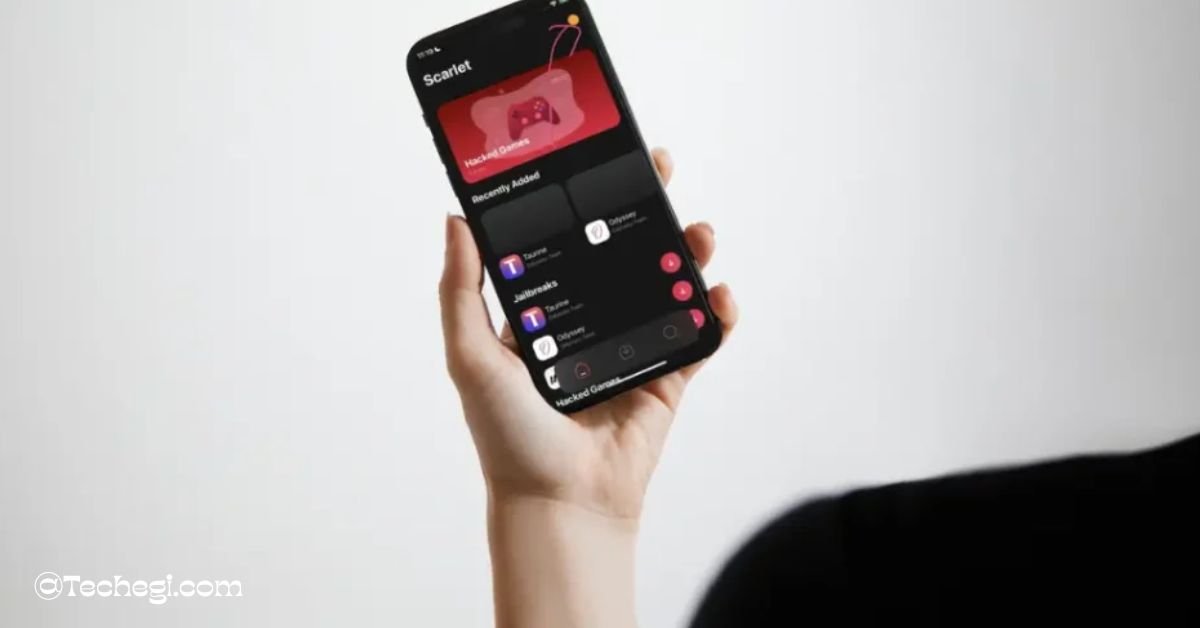
Scarlet iOS App is one of the most popular sideloading solutions available for iPhone and iPad users. It allows you to install apps, tweaks, and IPA files without relying solely on the App Store.
In this comprehensive guide, we will cover everything about Scarlet iOS App — from installation methods to its key features, supported devices, alternatives, and step-by-step usage instructions.
What is Scarlet iOS App?
Scarlet iOS App is a modern sideloading platform designed for iOS users who want more freedom and flexibility. It allows you to install apps that are not available on the App Store, including tweaked apps, games, and custom IPA files. The Scarlet iOS App uses advanced enterprise-level certificates, developer login, and methods like TrollStore to bypass revokes and offer a stable experience.
Scarlet stands out because it has an easy-to-use interface, a fast installation process, and multiple installation methods that fit every user’s needs.
Why Choose Scarlet iOS App?
Using the Scarlet iOS App gives you a level of control over your iPhone that the App Store simply doesn’t offer. Whether you’re a casual user who wants to install modded apps or a developer testing new IPA files, Scarlet provides a simple and secure environment. Here’s why it’s a top choice:
- Multiple Installation Options – Direct Install, Computer (No-Revokes), Developer Install, and TrollStore support.
- Modern UI – Clean, visually appealing red-and-black interface.
- IPA Support – Install custom apps and files with ease.
- Security – Regularly tested for malware and viruses to ensure safety.
- Community Trust – Over 1M+ active users worldwide.
Scarlet iOS App Installation Methods
Scarlet provides several installation methods, so you can choose the one that works best for your device and iOS version.
1. Direct Install (Currently Revoked)
This is the simplest method that allows you to install Scarlet directly on your iOS device. However, direct installs are sometimes revoked by Apple, so check availability before use.
2. Computer Installation (No-Revokes)
This method uses your computer to sideload Scarlet onto your iPhone or iPad. It is more stable since it prevents revokes. You’ll need a computer with macOS or Windows and a cable to connect your device.
3. Developer Installation
This method is ideal for developers with an Apple Developer account. It uses custom certificates to install IPA files securely.
4. TrollStore Installation
TrollStore is a powerful tool that allows permanent sideloading of apps without fear of revokes. Scarlet supports installation through TrollStore for users with compatible devices.
Step-by-Step Guide to Install Scarlet iOS App
Installing Scarlet is straightforward. Follow these steps for a smooth setup:
Step 1: Download Scarlet
Visit the official website and click the “Install Now” button. When prompted, tap Install to begin downloading.
Step 2: Trust Developer Certificate
- Go to Settings > General > VPN & Device Management
- Locate the Scarlet profile and tap on it
- Tap Trust and confirm
Step 3: Launch Scarlet
Once installation is complete, open Scarlet from your home screen. You are now ready to sideload apps and IPA files.
Scarlet iOS App Features
Scarlet is more than just a sideloading app — it’s a complete ecosystem for app management.
Modern Interface
Scarlet’s red-and-black design provides a smooth, user-friendly experience.
Enterprise Security
The app is tested against malware and ensures safe installation from trusted sources.
IPA Installer
Scarlet’s built-in IPA installer allows you to quickly sideload any IPA file using your Apple ID.
Advanced Tweaking Options
Scarlet enables importing dynamic libraries and applying tweaks to apps, letting you customize your experience fully.
Backup and Restore
Scarlet supports both normal and stealth backups so you can safeguard your data while maintaining privacy.
Using Scarlet iOS App to Install IPA Files
Once installed, follow these steps to sideload IPA files:
- Download your desired IPA file.
- Open Scarlet and tap the sideload option.
- Select your IPA file and hit Install.
- Wait for the installation to complete, then launch the app.
Supported iOS Devices
Scarlet works with a wide range of iPhones and iPads, including:
- iPhone 14 Series (14, 14 Plus, 14 Pro, 14 Pro Max)
- iPhone 13 Series
- iPhone 12 Series
- iPhone 11 Series
- iPhone X, XS, XR
- iPhone 8 and 8 Plus
Scarlet iOS App Alternatives
If Scarlet is revoked or unavailable, you can try other sideloading platforms:
- AppValley – A popular third-party app store.
- TrollStore – Permanent sideloading tool.
- AltStore – Great for installing unc0ver jailbreak and other apps.
- Panda Helper – Offers tweaked apps and games.
- TweakBox – Easy-to-use app installer.
- AppCake – Excellent for IPA file management.
Pros and Cons of Scarlet iOS App
Pros
- Multiple installation methods
- Secure and regularly tested
- Easy-to-use interface
- Supports IPA installation and tweaks
Cons
- Direct install is sometimes revoked
- Requires trust certificate process for first use
Is Scarlet iOS App Safe?
Yes. Scarlet iOS App is safe when downloaded from the official source. The developers regularly test the platform to ensure it is free from malware. Always avoid downloading Scarlet from unofficial or suspicious websites.
Frequently Asked Questions (FAQs)
Is Scarlet iOS App free to use?
Yes, Scarlet iOS App is free, though some features may require a developer account.
Does Scarlet work on iOS 18?
Scarlet updates regularly to support the latest iOS versions. If you face compatibility issues, use the computer installation or TrollStore method.
Can Scarlet get revoked?
Yes, direct installs may get revoked, but you can use the computer or TrollStore installation to avoid this.
Do I need to jailbreak my iPhone to use Scarlet?
No, Scarlet works without a jailbreak.
Is Scarlet better than AltStore?
Scarlet offers a more modern interface and multiple installation options, but AltStore is a great alternative for permanent installs.
Final Thoughts
Scarlet iOS App is one of the best sideloading solutions for iPhone and iPad users in 2025. Whether you want to install modded apps, test IPA files, or tweak your favorite apps, Scarlet provides a smooth, secure, and customizable experience. With multiple installation methods, enterprise-level security, and a user-friendly design, Scarlet remains a top choice for iOS power users.