
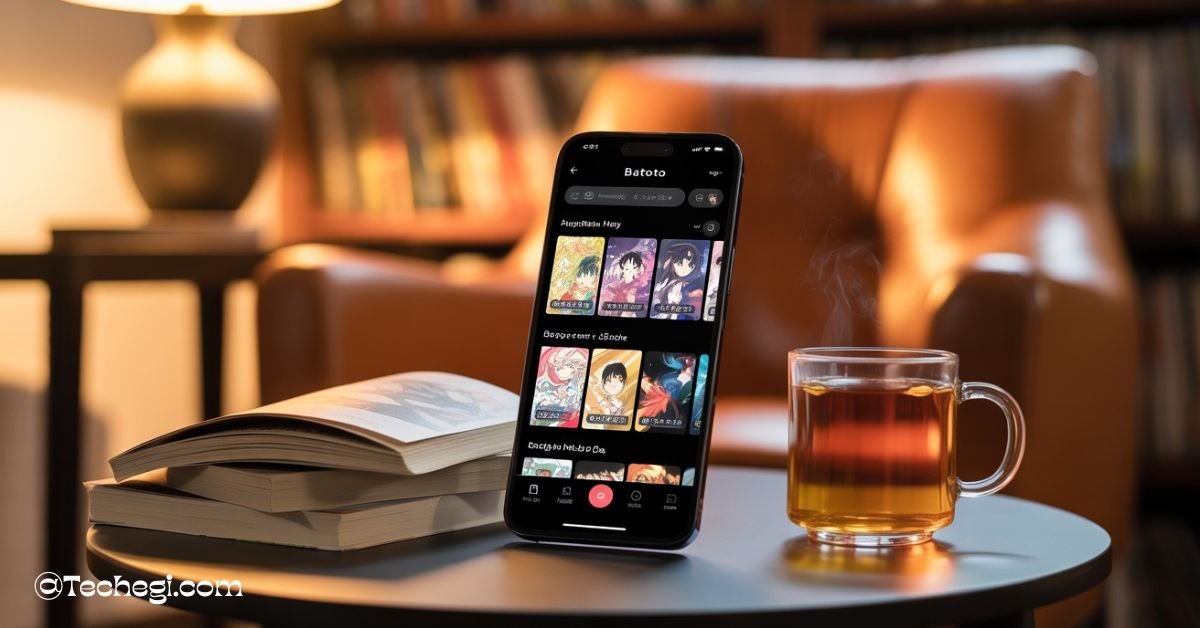
The batoto mobile app is a widely-searched term that refers to the mobile experience of Batoto—a once-popular community-driven manga reading platform. Though the original Batoto website has evolved and sometimes gone offline, many users still search for a mobile app that lets them read manga, manhwa, and webtoons on the go. In this comprehensive guide, we’ll explore what the term “Batoto mobile app” really means, highlight its key features, installation tips, safety considerations, user experiences, and top alternative platforms if Batoto isn’t the right choice for you. Whether you’re a casual reader looking for offline downloads or seeking a safe, legal way to enjoy manga on your device,
In this article has you covered. Throughout, we’ll use simple, clear language to ensure anyone—no matter their familiarity with tech—can understand how to access and use the Batoto mobile app (or learn why another option might serve them better).
What is the Batoto mobile app? (Overview & history)
Batoto began life as a fan-driven platform where manga enthusiasts could share, read, and discuss scans of manga, manhwa, and webtoons. Launched in the early 2010s, Batoto quickly gained popularity for its clean interface, community-curated tags, and active discussion threads. Over time, legal challenges and shifting site management led to site migrations and occasional shutdowns, but the Batoto community’s spirit remained strong.
When people refer to the batoto mobile app, they often mean one of two things. First, some developers have released unofficial APKs (Android installation files) that mimic the Batoto interface and let users read on their phones. Second, there are purported listings on Google Play titled “Batoto” or “Bato,” though these apps often come from unrelated developers and may not reflect the original Batoto experience. The official presence of Batoto now exists primarily as a web service—accessible via mobile web browsers or compatible reader apps—rather than a native mobile app promoted by the original Batoto team. So when you search for “Batoto mobile app,” you’re mostly encountering either unofficial mobile ports or redirects to the mobile-friendly website.
Batoto website vs Batoto mobile app — differences
Using Batoto on a mobile browser and via a mobile-style app brings distinct experiences. The Batoto website is designed responsively; it scales to your screen, supports basic bookmarking, and allows quick navigation to new chapters or commentary. It’s trustworthy in the sense that you’re accessing the original domain—when operational.
By contrast, a Batoto mobile app, particularly an APK, may offer advantages like push notifications for new chapters, offline downloads so you can read without data, and a streamlined app-style interface optimized for touch navigation. On the downside, unofficial apps can introduce security risks or deviate from the original layout and functionality. In short, the website is safer and more stable, while mobile apps—if reliable—offer convenience and better mobile workflows, though at potential legal or security risk.
Key features of the Batoto mobile app (What readers look for)
The appeal of the batoto mobile app lies in its ability to replicate the vast library of Batoto directly on your phone. Users expect access to a sprawling collection that includes fan-scanned manga, ongoing manhwa series, and serialized webtoons, all in one mobile platform. Many APK versions enable that library with intuitive navigation similar to the original site.
Equally important are flexible reading modes. Most Batoto-style apps feature vertical scrolling (ideal for phone browsing), horizontal swiping, zoom controls, and sometimes even double-page spreads—in other words, reading options tailored to your device and preferences. Users can switch modes on the fly, making the experience comfortable whether you’re on a phone or a tablet.
Account features also replicate site functionality: you can bookmark favorite series, view your reading history, add titles to a favorites list, and possibly subscribe to receive updates. Offline reading is a major draw—users can download chapters over Wi-Fi and read them later when offline, reducing data usage and improving reliability while commuting or traveling.
Search, filters, and tagging help readers quickly zero in on genres, languages, or series updates. Community comments or threads (if included) let fans discuss chapters directly in the app. These key features together aim to make the batoto mobile app a full-featured portable manga reader.
How to download and install the Batoto mobile app (Android / iOS / APK)
Let’s walk through how people typically attempt to download the batoto mobile app.
For Android users, a Google Play listing might appear when you search “Batoto” or “Bato.” Before installing, examine the developer name, install counts, and data-safety information. Most official or legitimate apps clearly disclose permissions and data use. If the listing looks vague or the developer is unconnected with Batoto, approach with caution.
Since an official Batoto app doesn’t exist, many users turn to APK repositories like Apktodo.io or LatestModAPKs to download “Batoto-style” apps. If you choose this route, safety precautions are crucial. Always verify that the APK’s digital signature matches a known developer, scan files with antivirus software, and avoid files from unfamiliar sources. Grant only essential permissions, and review them carefully before installation.
If you’re on iOS, there’s no native Batoto app available through the App Store, largely due to stricter content and copyright policies. You can access Batoto via mobile Safari or Chrome—or use third-party reader apps that support web-based manga sources.
Here’s a typical installation flow for Android:
- Find a reputable APK repository.
- Download the APK to your device.
- Under device settings, enable installation from “Unknown Sources” or “Install unknown apps”.
- Scan the file, open it, and review permissions before installation.
- Launch the app and configure account preferences or login.
Troubleshooting installation & login
Several common issues can arise. Installation may fail if your device blocks unknown sources—visit settings and explicitly allow installation for your browser or file manager. If the APK crashes on startup, it may be incompatible with your Android version; look for a newer or alternate version. Missing features or login failures could be due to incomplete implementation or server instability.
For login issues, check whether the app supports creating a new account or only accesses guest-mode browsing. Some APK versions might lack login functionality entirely. If you experience repeated crashes, uninstall and reinstall, or clear the app cache and data via Settings → Apps. Ultimately, for best compatibility, using the Batoto mobile-optimized website may be more reliable than any APK.
Is the Batoto mobile app safe and legal? (Risks, protections, ethical note)
One of the most vital considerations is whether the batoto mobile app is both safe and legally sound. From a legality standpoint, Batoto-style platforms often rely on user-uploaded manga that’s unlicensed—that is, not officially approved by content creators or publishers. Legal ambiguity surrounds such services, and distribution may infringe copyright laws. The community generally acknowledges this, though enforcement varies by jurisdiction. This means using Batoto-style mobile apps may expose you to copyright risk—even if you’re only reading for personal use.
Safety is another major concern. According to recent analyses, malware, adware, and malicious redirects have been reported in some APKs claiming to be Batoto. Apps may prompt escort ads, intrusive overlays, or request excessive permissions like access to contacts or SMS—which are unnecessary for a manga reader. Practically, users have recommended employing ad blockers, avoiding files from untrusted sources, and being wary of phishing redirects to safeguard device security.
The safest approach is to use official, legitimate apps listed on Google Play, or access Batoto through a mobile browser. If you must download an APK, only do so from well-reviewed, reputable sites, always scan the file, and carefully review the permissions being requested. Staying informed and cautious ensures your device remains secure and your rights respected.
User reviews and real-world experience (pros & cons)
When real users share their experiences with the batoto mobile app, a common thread emerges: the pros are enticing. Many emphasize the immense free library, which often includes rare or hard-to-find fan-translated manga and webtoons. The convenience of having community comments built directly into an app interface also adds value, as does the ability to choose reading modes and download chapters for offline enjoyment. Users also appreciate frequent updates in some APK versions that keep the catalog fresh even when the website is down.
But the cons are just as real. Legal concerns weigh on many—“Is this safe?” is a frequent user question. Intrusive ads and popups that interfere with reading experience frustrate readers, and some translations feel inconsistent or hastily posted. Certain APKs suffer from stability issues—crashes, slow loading, and unreliable updates raise usability concerns. In addition, some users report that links can unexpectedly direct them to unrelated or sketchy websites.
On the Play Store, the few apps labeled “Batoto” show mixed reviews—average star ratings range between 3.0 to 4.0, reflecting a polarized experience. Trustpilot or other review platforms echo this mix of admiration for the content but caution around legality and ad burden. Overall, the user experience is highly dependent on which version you use and whether the APK comes from a trusted source.
Batoto mobile app alternatives (best replacements and why they might be better)
If you’re evaluating whether to use the batoto mobile app, it’s worth exploring more reliable, legal alternatives. According to traffic analysis and competitor insights, MangaDex is one of the closest successors in spirit—community-driven with a wide library and an Android reader, plus a clearer commitment to licensed releases where possible.
Webtoon offers official translated content, regularly updated by creators on a mobile-first platform that’s clean, ad-light, and legal—ideal for fans of serialized webtoons rather than fan-scanned manga.
Tachiyomi is a powerful open-source Android reader that lets you pull from multiple sources, including many Batoto-style catalogs. It gives you control—choose your sources, manage downloads, and enjoy a safe, adaptable reading experience.
Crunchyroll and other official manga publisher apps (Viz, ComiXology, Shonen Jump) provide quality-translated, legal content with subscription models—great for supporting creators and avoiding any legal or security concerns.
| Alternative | Why It’s Better Than Batoto Mobile App |
| MangaDex | Community focus, clearer licensing, reliable web/app support |
| Webtoon | Official translations, clean UI, mobile-optimized, ad-minimal |
| Tachiyomi | Open-source, customizable, supports multiple sources |
| Crunchyroll & others | Legal, high-quality, supports creators through licensing models |
These alternatives cater to different user preferences—whether you value legality, breadth of library, customization, or simplicity.
How to use Batoto mobile app like a pro — tips & tricks
Ready to maximize your reading experience with the batoto mobile app? Start by downloading entire chapters ahead of time when connected to Wi-Fi to minimize mobile data usage and avoid interruptions. Use the app’s library organization tools (favorites, reading history) to keep track of ongoing series and easily pick up where you left off.
Adjust reading preferences to suit your comfort—switch between vertical and horizontal modes depending on device and your posture, and use zoom sparingly to preserve clarity and layout. Leverage bookmarks to mark memorable panels or chapters you may revisit.
If the app supports keyboard or remote navigation (on devices like tablets or Fire TV), learn a few shortcuts—e.g., swipe gestures or volume buttons for turning pages—to enhance hands-free reading. Manage downloads carefully by clearing older chapters you’ve finished to free up space.
Follow series you enjoy to get timely updates if the app supports notifications—but pick realistic limits so you’re not flooded with alerts. Finally, if you spot broken links or missing pages, report them using the app’s feedback or community comment feature. This helps maintain a smoother ecosystem for other readers.
FAQs about the Batoto mobile app
Q1: Is there an official Batoto app, or is it only a web platform?
There is no official Batoto mobile app endorsed by the original creators. References to a “Batoto” on Google Play are typically unrelated or fan-made. The safest way to read Batoto is via its mobile-optimized website through a browser.
Q2: Can I export or back up my reading list or bookmarks?
Most Batoto-style APKs do not offer dedicated backup features. You may rely on synced accounts (if provided) or manually record your reading list. Third-party reader apps like Tachiyomi offer exportable data options.
Q3: Will I face malware risk from using Batoto APKs?
You might. Unauthorized app sources can bundle adware, malware, or phishing links. Always scan downloaded files, check permissions carefully, and prefer reputable repositories or Play Store listings.
Q4: Do Batoto mobile app versions support multiple languages?
Support varies by version, but many include tags and filters for different scanlations—English, Spanish, Portuguese, etc. Official web versions may offer richer filtering if maintained.
Q5: Can I read the Batoto catalog offline and sync later?
Yes—many APK versions allow offline downloads to read without connectivity. Some apps cache your position or take tracking offline, then sync your progress once you reconnect—though consistency depends on the specific app.
Conclusion
In summary, the batoto mobile app is more of a community-coined term for unofficial mobile versions that let you access Batoto’s manga, manhwa, and webtoon collection on your phone. While these apps deliver convenience—offline reading, personalized features, and touch-friendly navigation—they come with legal and safety trade-offs.
If you’re a casual reader comfortable with some risk, a carefully vetted Batoto APK may offer nostalgia and breadth. But if you want reliability, cleaned content, and legal peace of mind, consider alternatives like MangaDex, Webtoon, Tachiyomi, or licensed publisher apps. By understanding both the benefits and the pitfalls, you can make an informed choice—and enjoy your manga reading in the way that fits you best.
Also read: